
Copy to Clipboard
- CategoryTools
- PlatformAndroid
- Rating4.0 / 5
- Downloads100K+
- AgeEveryone
- SizeNot listed
Copy to Clipboard is listed on Google Play as a tools app. This SelfWander guide combines the linked listing with our practical decision criteria; it is not a hands-on performance test.
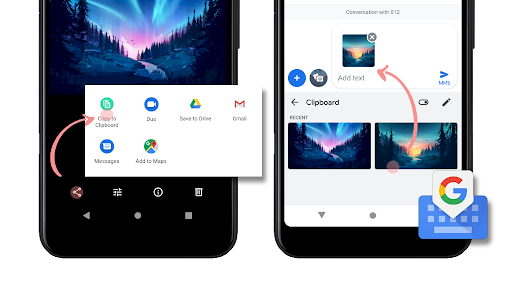
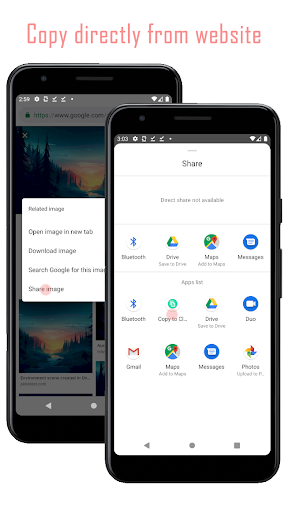
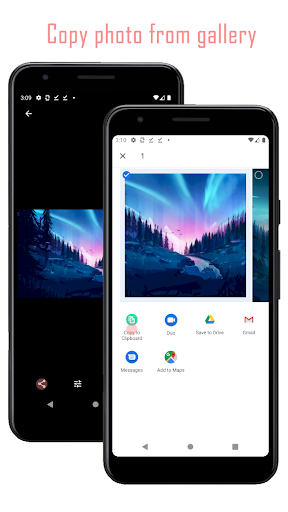
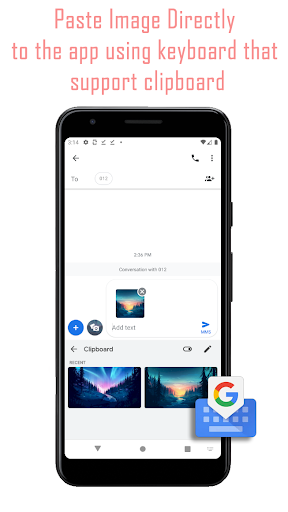
The publisher’s short description: “Copy image to clipboard”. This describes the publisher’s positioning, not an independently measured result.
Solving a specific problem
For Copy to Clipboard, our starting point is practical: identify the exact device problem before installing another utility. Prefer a tool whose required permissions are proportionate to that task and whose changes you can reverse.
Image workflow
This is a topic raised by the Google Play listing for Copy to Clipboard. Test with a copy of one non-sensitive image. Look at the saved result, not only the preview, and check resolution, watermarks and export charges. Limit photo-library access when selecting a few files is sufficient.
What the evidence does—and does not—show
The figures shown here are a dated snapshot from Google Play, checked on 2026-10-22. The score reflects store-user ratings, not a SelfWander test score. The install band is a store figure and should not be read as current active users. Regional listings, prices, availability and ratings can change; consult the linked source before deciding.
Cost and permissions before installation
Check the current store price and any subscriptions or in-app purchases. A no-cost download does not mean that every feature or service is free. Read the publisher’s privacy disclosure and terms, and grant only the permissions needed for your intended use.
Our decision rule for Copy to Clipboard: continue only if the current listing matches your device and the task you want to complete. If a necessary feature, fee or support condition is unclear, resolve that on the publisher or store page before spending money or providing sensitive information.















1. Review the app information and screenshots.
2. Choose the download option for your device.
3. Follow the instructions on the store or distributor’s page to install Copy to Clipboard.